Mobile setup · MT5 + Market Hunter

    TrainFlow Setup Guide

    Signed up on the website? Install the app first, sign in with the same account, then follow the steps below.

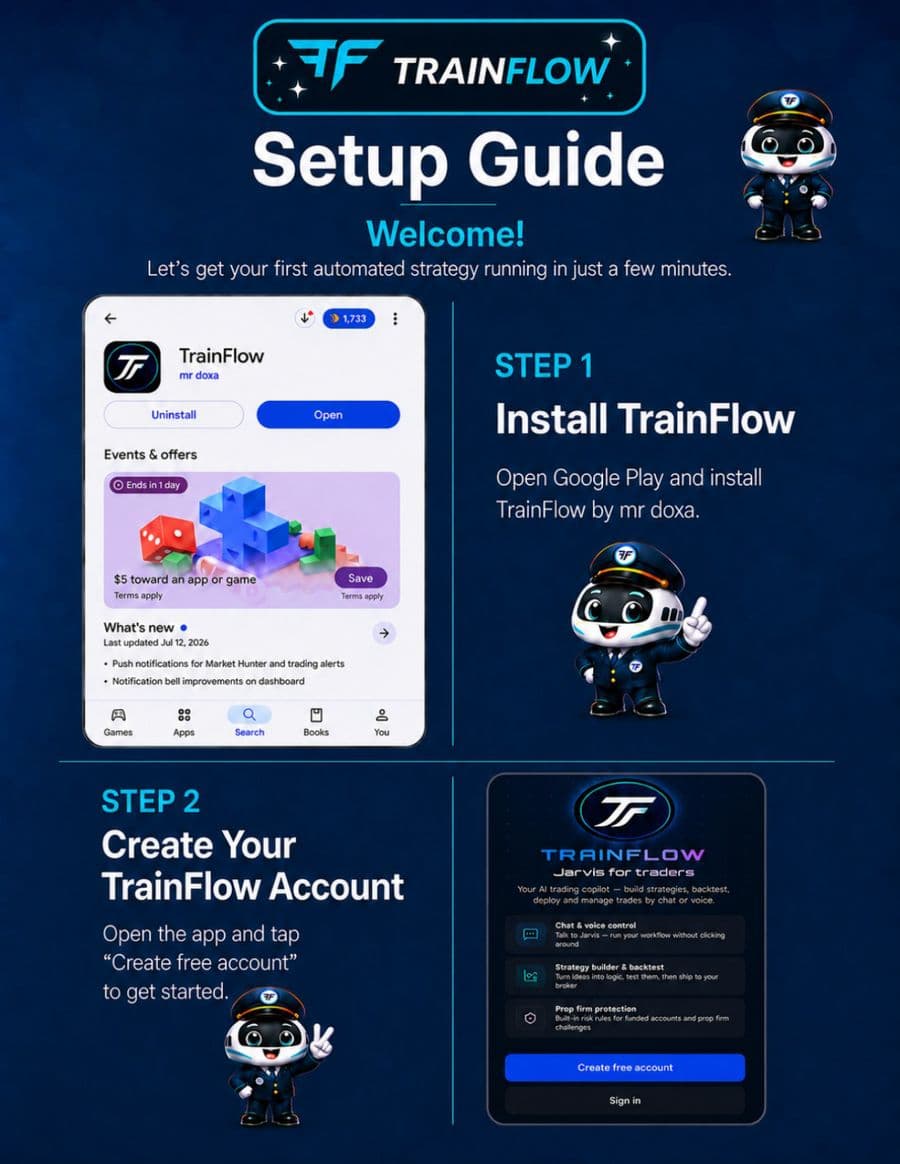
    TrainFlow setup guide — install the app and create your account
    Steps 1–2: Install TrainFlow from Google Play and create your free account.
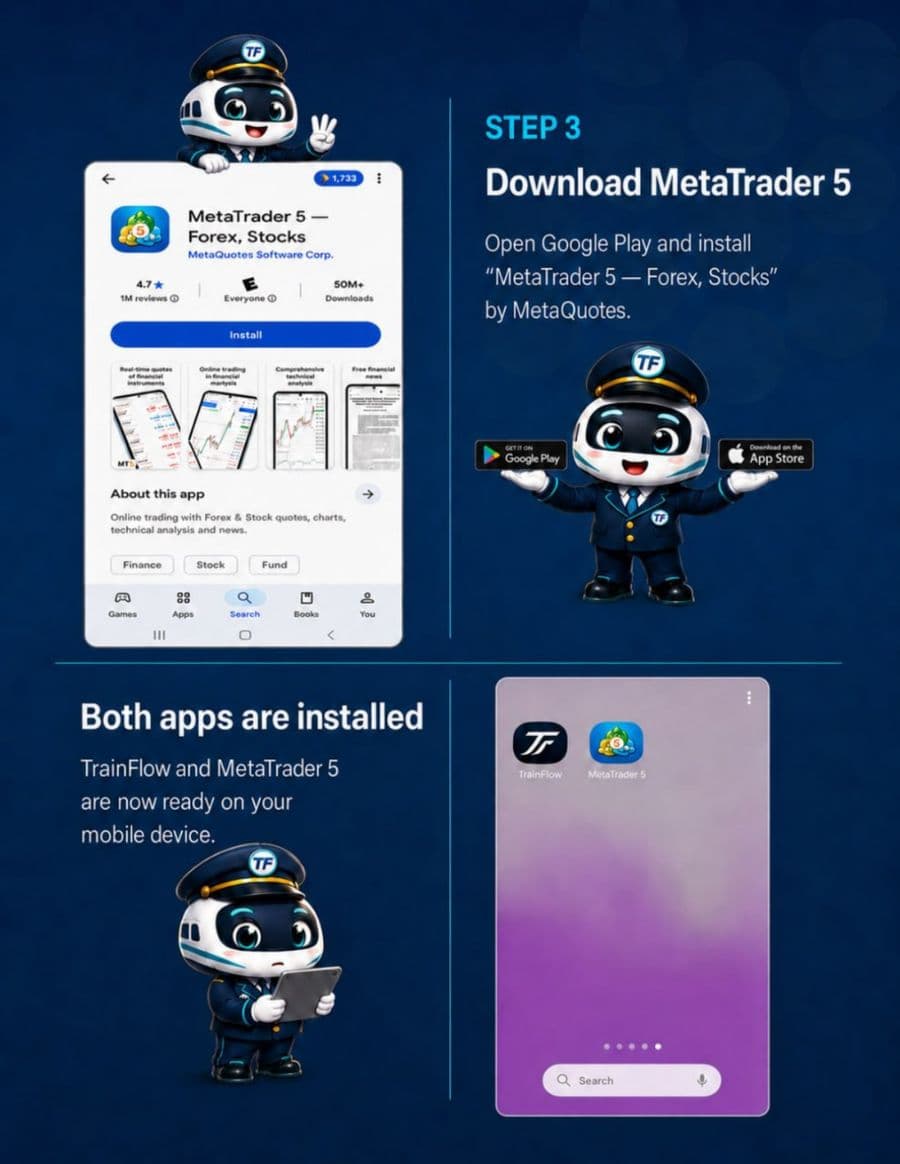
    Download MetaTrader 5 mobile app
    Step 3: Install MetaTrader 5 (Forex, Stocks) from your app store.
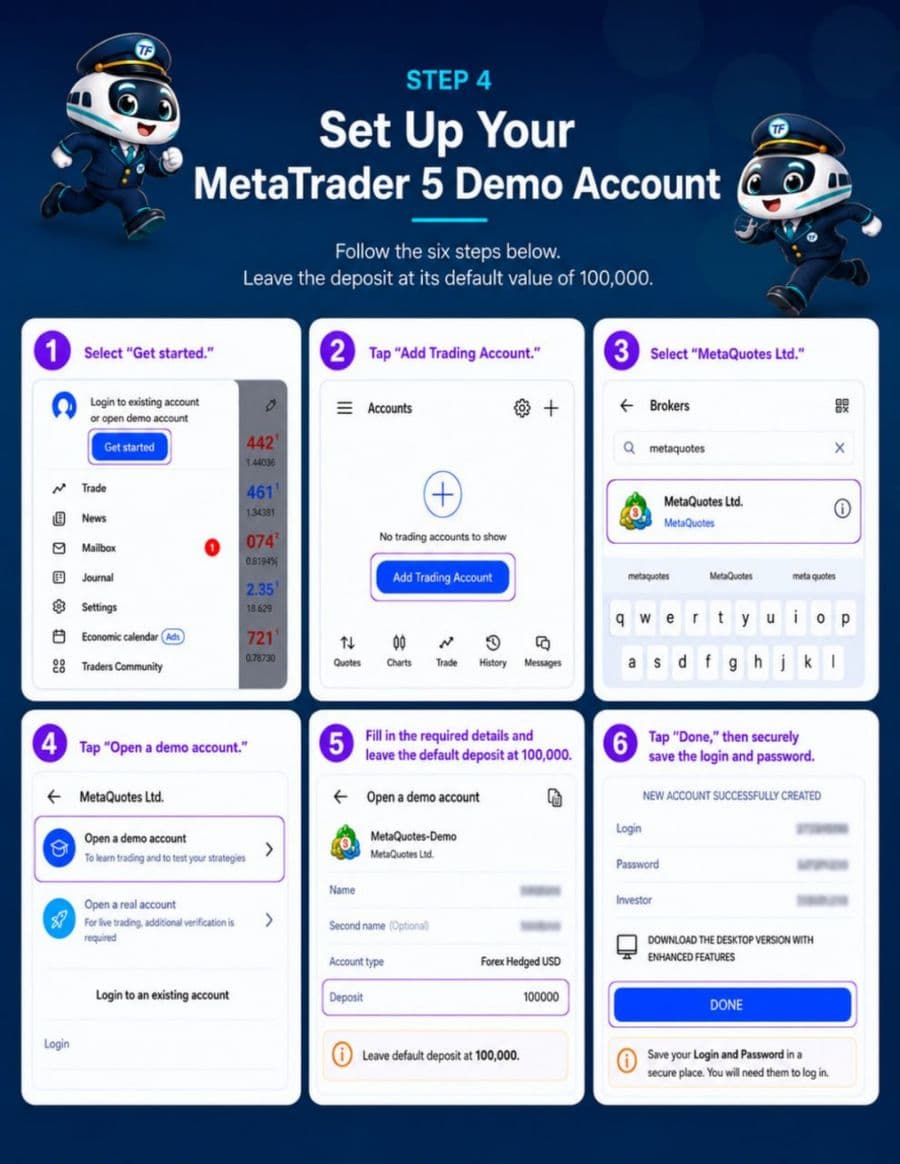
    Open a MetaTrader 5 demo account
    Step 4: Open an MT5 demo account — leave the default 100,000 deposit.
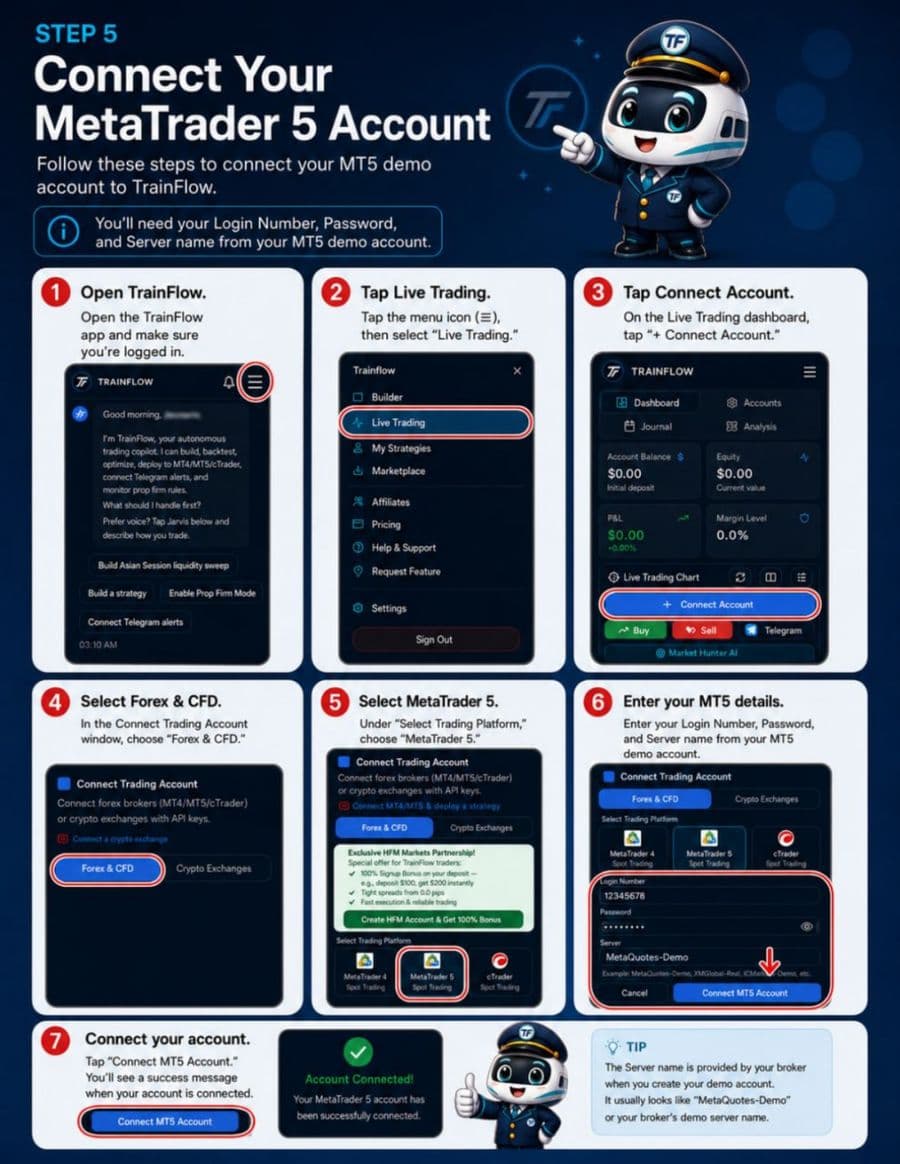
    Connect MetaTrader 5 to TrainFlow
    Step 5: Connect your MT5 login, password, and server in Live Trading.
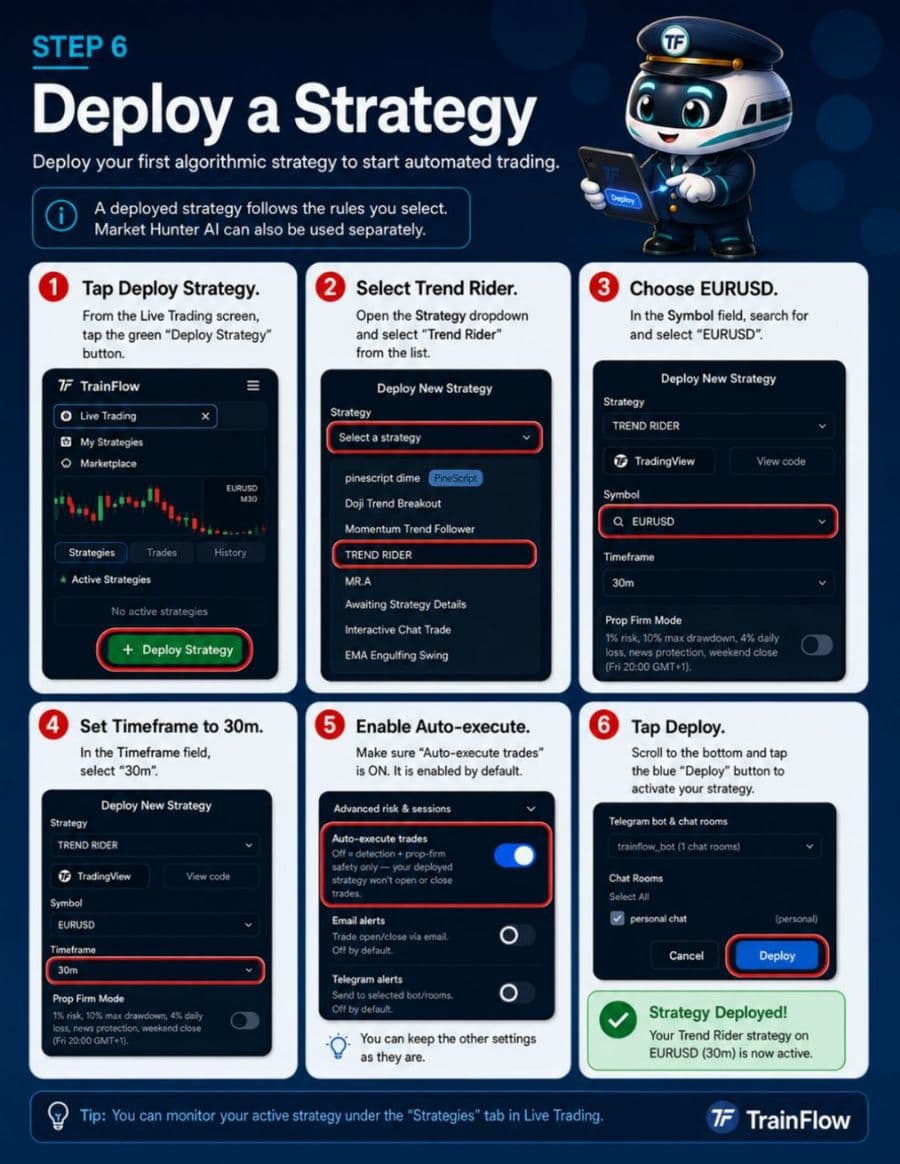
    Deploy your first strategy on TrainFlow
    Step 6: Deploy a strategy (example: Trend Rider on EURUSD 30m).
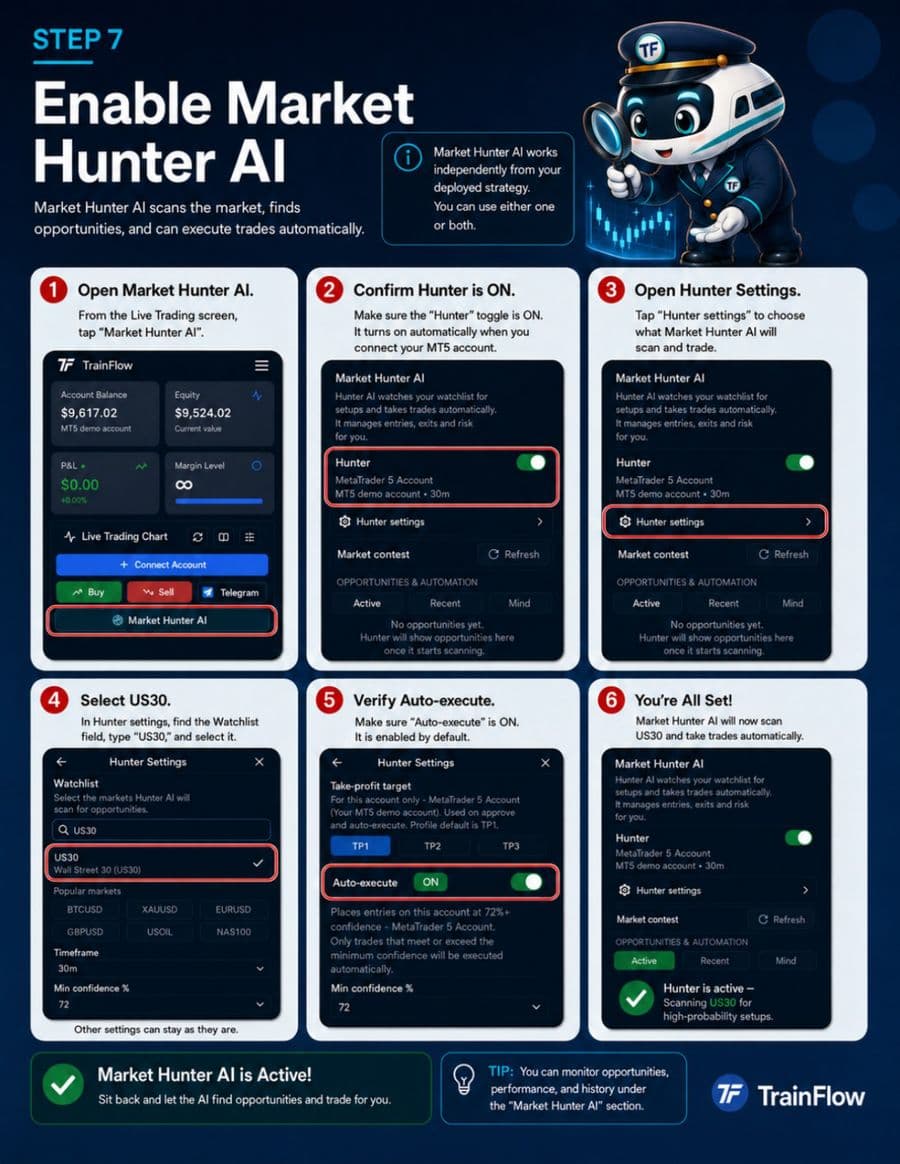
    Enable Market Hunter AI
    Step 7: Turn on Market Hunter AI and add pairs to your watchlist.